Guide – How to put videos on your iPod
Uploaded 24 Dec 2025; originally 9 Dec 2024
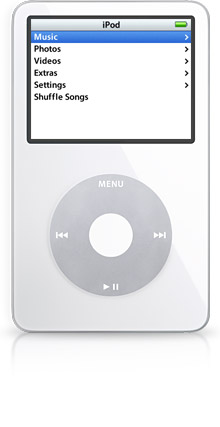
Note: This guide was made with the later enhanced iPod Video in mind, as this is the one I have. Everything here will probably work on other models but please keep this in mind!
Software
You will need HandBrake version 1.90 to follow this guide (you need an old version for the iPod 5G support setting).
Handbrake Settings
Summary
- Format: MP4
- Align A/V Start: YES
- iPod 5G Support: YES
Dimensions
Orientation and Cropping
- Cropping: None
Resolution and Scaling
- Resolution Limit: Custom
- Maximum Size: 640 x 480 (320 x 240 will also work if you want lower quality)
- Anamorphic: None
- Pixel Aspect: 1:1
- Optimal Size: YES?
- Allow Upscaling: NO
Borders
- Fill: None
Filters
- All Off OR Sharpen: LapSharp (for lower res stuff)
Video
Video
- Video Encoder: H.264 (x264)
- Framerate (FPS): Same as source (If source is greater than 30 then set to 30 or 24 or whatever)
- Variable Framerate: YES
Quality
- Constant Quality: ~*18*, maybe lower
- **OR**
- Avg Bitrate 1450, Both checked
Encoder Options
- Encoder Preset: Slower
- Encoder Tune: Film for live action, Animation for big blocks of colour, None for everything else
- Encoder Profile: Baseline
- Encoder Level: 3.0
Advanced Options
- vbv-maxrate=1500:vbv-bufsize=1500
Audio
Note: It is possible to use Foobar2000 for slightly better encoding but results are negligible and it is necessary to use MKVToolNix to multiplex the encoded audio and original video tracks BEFORE converting using Handbrake, and to set the Audio setting to passthrough.
- Codec: AAC (avcodec)
- Quality: Bitrate 160
- Mixdown: Stereo
- Samplerate: 44.1/Auto
Subtitles
- Delete all items
Chapters
- Create chapter markers: YES (If applicable)
- (Chapter names are not supported by iPod Classic models, but markers still appear)
Troubleshooting
The video file won't sync
- Double check all the settings, especially 'iPod 5G Support'.
The video syncs, but it won't play on the iPod (black screen, no sound, freezing etc.)
- Try using the 'Medium' Encoder Preset.